TestGorilla is a platform employers use to build pre-hire assessments from a library of skills tests. If an employer has sent you a TestGorilla link, the tests inside it were chosen for that job, so no two assessments are quite the same. What doesn't change is how the platform works, and TestGorilla documents that well for candidates. This guide pulls it together.
How does TestGorilla work?
An employer builds an assessment from TestGorilla's tests and its own questions, then sends you a link by email. You don't need an account: you click the link, enter your name and email, and start.
From TestGorilla's candidate help centre:
- What's inside. At least one test or custom question, and up to five tests and 20 custom questions. The welcome screen shows how many there are and the expected time.
- How long. It varies, but TestGorilla says most assessments take about 60 to 90 minutes. It may take you less than the estimate, never more.
- Practice first. Many tests start with practice questions. TestGorilla says four. They don't count, and the employer doesn't see them.
- Timed by test or by question. A timer is shown at the top.
- One question per screen. Once you submit or skip, you cannot go back.
- Breaks between tests only. You can close the window between tests and return through your invitation link. If you leave in the middle of a test, the timer keeps running.
- Reminders. If you haven't started, or have been inactive for 48 hours, you'll get a reminder. TestGorilla says it never sends more than two per assessment.
What kinds of questions are there?
It depends on the tests the employer picked. TestGorilla lists the most common question types as:
- Multiple choice
- Essay
- File upload
- Video, recorded with your webcam
- AI interview, a spoken conversation with an AI interviewer that typically takes 10 to 20 minutes
- Typing
- Coding
Some assessments start with qualifying questions. If one of your answers doesn't meet the employer's minimum requirements, the assessment ends early. If you think that happened by mistake, contact the employer.
Cohesyve
Get used to being assessed before you sit a TestGorilla assessment
Cohesyve's practice runs are AI job simulations of the role you want, not copies of a TestGorilla assessment. They show where you lost marks. 3 free practice assessments, no card.
How difficult are TestGorilla assessments?
There's no single answer, because the employer chooses the tests. In TestGorilla's self-test library, each test is labelled with its level of difficulty, so tests are built for different levels.
What makes them feel hard is mostly the format: strict timers, no going back, and several tests in a row. Knowing that in advance takes much of the sting out.
How to prepare for a TestGorilla assessment
People search for how to "crack" TestGorilla. The honest answer is that the way to do well is to prepare for the skills being tested and to handle the format calmly.
Read the invitation carefully. It lists the tests in your assessment and how long you'll have. That tells you what to practise: a spreadsheet test, a coding language, a cognitive test, a language test.
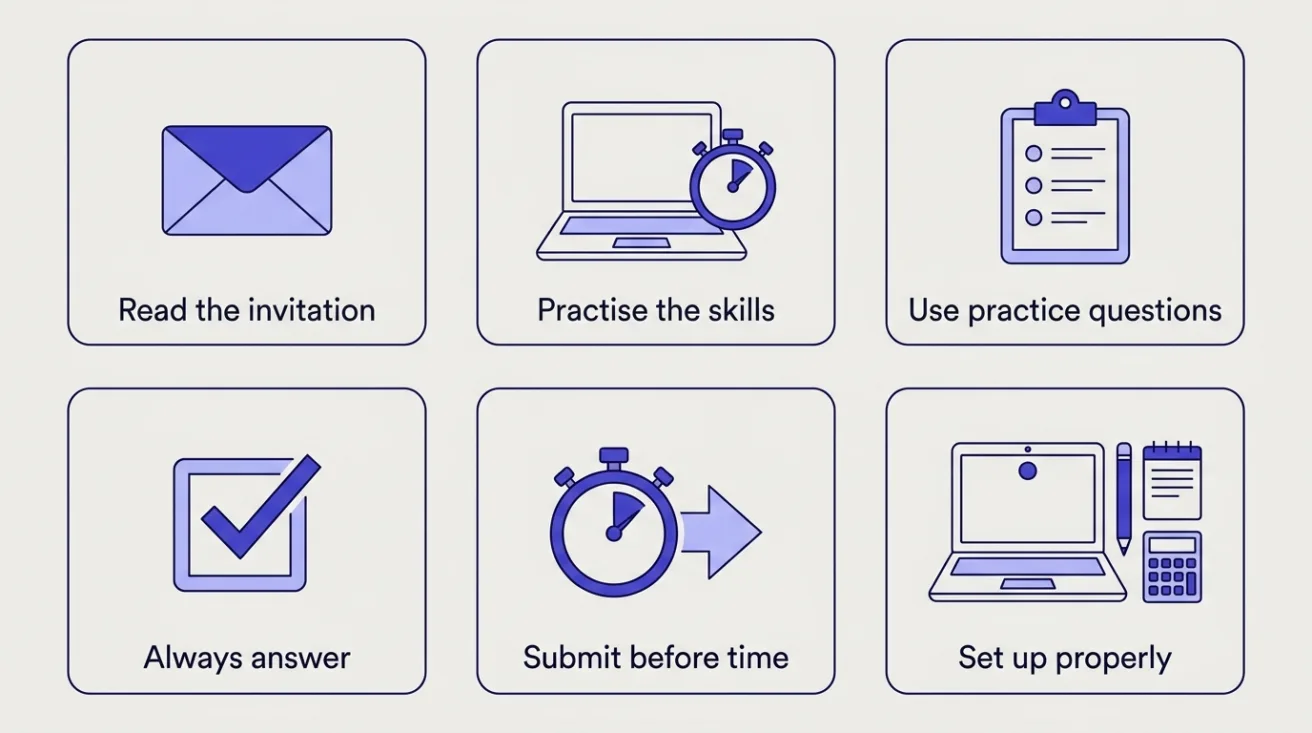
Practise the skills, by name. If the invitation lists "Excel" or "Python", practise those under a timer. For cognitive tests, practise quick reasoning with numbers, words and patterns.
Use the practice questions. They show you the layout and the type of question before the timer starts. Don't rush through them.
Never leave an answer blank. TestGorilla says skipped questions count as wrong and recommends guessing. A guess can only help.
Submit before time runs out. Only submitted answers are saved. Whatever you're typing when the timer ends is lost, which matters most for essay questions.
Have pen, paper and a calculator ready. TestGorilla allows all three.
Set up properly. Use a laptop or desktop in an up-to-date Chrome, Firefox, Safari or Edge. TestGorilla warns against using a phone for coding tests. Test your camera and microphone, and stay in full screen: if you leave it, the question hides until you return.
Ask for an accommodation if you need one. If the employer offers it, the setup screens ask whether you're fluent in the test's language and whether you have a condition that affects memory or concentration. Saying you aren't fluent gives you 20% more time, and the employer is told. A memory or concentration condition gives you 50% more time, and TestGorilla says it doesn't share that with the employer.
Does TestGorilla detect cheating?
Yes. TestGorilla's Candidate Honesty Policy says it uses anti-cheating measures to detect dishonest test-taking. Before you start, you agree to its honesty agreement, which rules out AI tools and retaking the same test for the same application, and the setup screens tell you which integrity features the employer has switched on, such as webcam snapshots and full-screen mode. Read those screens; they are the rules for your assessment.
Can you retake a TestGorilla assessment?
Not by default. Your invitation link expires when you've completed the assessment, and TestGorilla says assessments measure your current skills and aren't designed for practice or repetition. If you think something went wrong, contact the employer: allowing a second attempt is at their discretion.
If you take skills tests on your own TestGorilla profile, the help centre's rules say you can't retake a test yet, and that retakes after three months will come in a future update. Your latest score is always the one shown on your profile.
Will I see my results?
Only if the employer shares them. After you finish, you're invited to create a TestGorilla profile, where shared results appear. TestGorilla never shares the answers to its test questions with candidates or employers. For anything about your application itself, contact the employer; TestGorilla doesn't have that information.
Where Cohesyve fits
Skills tests are usually an early screen. After them, employers look harder at how you handle the work itself. Cohesyve, which publishes this guide, runs practice job simulations of that work, for roles such as customer service representative, digital marketing specialist and backend developer, with a report on where you lost marks. It isn't a TestGorilla practice test.
Sources
Checked 21 October 2026.
- TestGorilla: comprehensive guide to taking your assessment
- TestGorilla: common questions about assessments and tests
- TestGorilla: finishing your assessment and what happens next
- TestGorilla: taking breaks during assessments
- TestGorilla: accessibility and accommodations for assessments
- TestGorilla: getting set up for your assessment
- TestGorilla: the assessment equipment guide
- TestGorilla: taking an AI interview
- TestGorilla: candidate honesty policy
- TestGorilla: taking a skills test on your profile