Canditech is a platform employers use to test applicants with tasks that resemble the job. If you've been sent a Canditech link, the questions were chosen or written by that employer, so no two Canditech assessments are the same. Canditech's documentation is written for employers, but it shows clearly what you'll be asked to do and how it's marked. This guide translates it for the candidate's side.
What is a Canditech assessment?
It is an online test, usually sent before or soon after a first recruiter call, according to Canditech. Employers build it from Canditech's library, which the company says has more than 500 ready-made tests, or from their own questions. Canditech's tests cover technical skills, soft skills, AI proficiency, cognitive ability, personality (on the Big Five model), Excel and computer literacy.
Canditech's own pitch is that its assessments mimic the actual job, so expect practical tasks alongside multiple choice.
What kinds of questions are on a Canditech assessment?
Canditech's help centre lists these question types:
- Multiple choice, with one or several correct answers. Answer order may be shuffled.
- Open text, a written answer, sometimes with a character limit.
- Video, a recorded answer to camera, sometimes with a time limit.
- Excel: you download a spreadsheet, work on it on your own computer, and upload your final version.
- Google Sheets: a spreadsheet task inside the assessment.
- Value: you enter one specific answer, a number, text or a percentage, which is checked against the answer the employer expects.
- File upload.
- Code: you implement a function to given requirements and can run your code.
- Code projects: a multi-file task in a full IDE, sometimes with built-in AI assistants.
- SQL: you write a query against a provided database.
Cohesyve
Get used to being assessed before you sit a Canditech assessment
Cohesyve's practice runs are AI job simulations of the role you want, not copies of a Canditech assessment. They show where you lost marks. 3 free practice assessments, no card.
How is a Canditech assessment scored?
It depends on the question type:
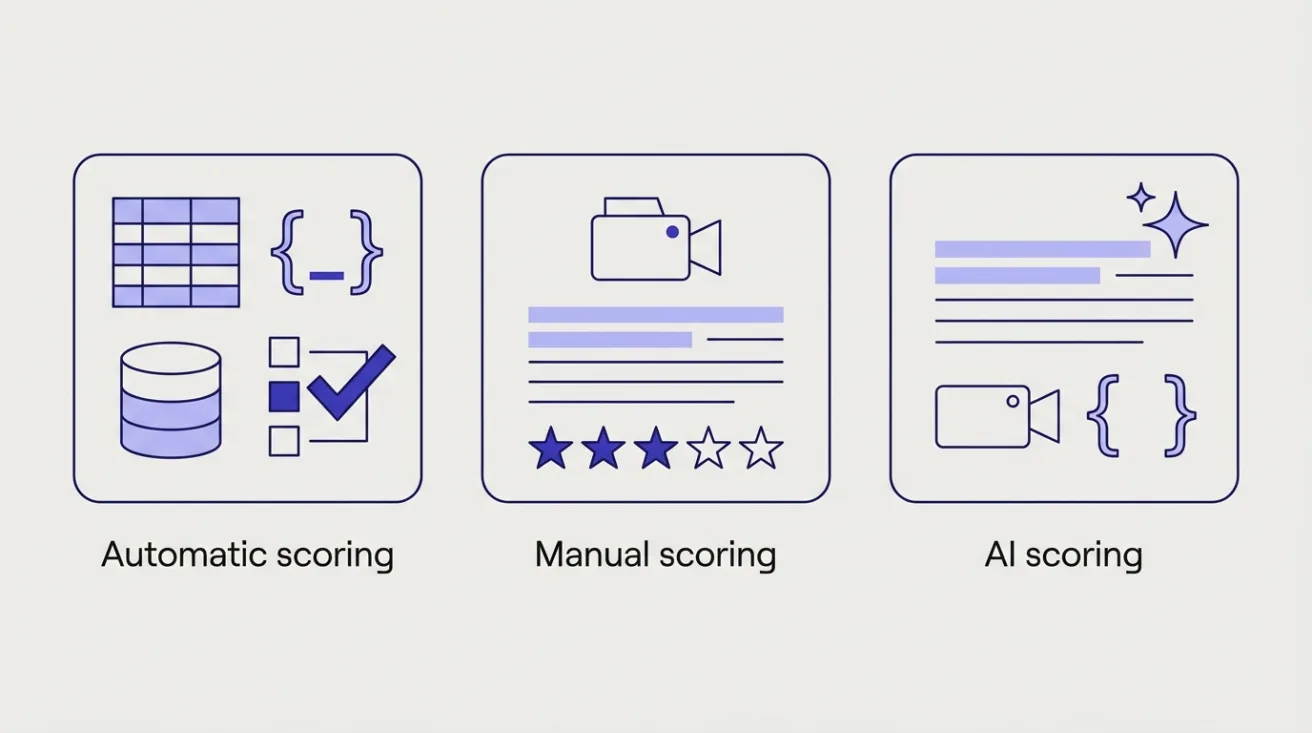
- Automatic scoring for multiple choice, Excel, Google Sheets, value, code, code project and SQL questions. These have answers defined in advance. For Excel, specific cells are checked against expected values. For value questions, your answer is compared with the expected one. For code, your function is run against test cases, and code projects are checked with hidden tests after you submit. For SQL, your query's output is compared with the expected result.
- Manual scoring for written and video answers, which reviewers rate with stars.
- AI scoring, on some employers' plans, for written, video and code answers. For code it can look past test results at code quality, efficiency and best practice. The hiring team can review and override AI scores.
Two practical consequences. In Excel tasks, put your answers exactly where the task asks, since particular cells are what's marked. And in code tasks, a solution that passes the tests can still be judged on how it's written.
Example Canditech-style questions
Canditech doesn't publish the questions employers use. These are our own illustrations of each format. They are not Canditech questions.
Excel or Google Sheets. Our example: The file lists 200 orders with region, product and revenue. In cell H2 of the first sheet, enter total revenue for the North region; in H3, the average order value across all regions. A SUMIF and an AVERAGE will do it. The automatic check reads the numbers in exactly those cells.
SQL. Our example: Using the orders and customers tables, return each customer's name and their number of orders in 2026, highest first. Watch for customers with no orders, and for whether the task wants them included.
Code. Our example: Write a function that takes a list of support tickets with a priority and a timestamp, and returns them sorted by priority, then oldest first. Test it with an empty list and with ties.
Video. Our example: In two minutes, tell us about a time you had to explain a complicated issue to an upset customer. Use a clear structure, such as the STAR method.
Open text. Our example: A colleague's report contains a calculation error the day before it goes to a client. Write the message you'd send them.
What does Canditech monitor?
The employer chooses, and Canditech tells you before you start. Its help centre says the welcome page shows proctoring instructions matched to the features switched on. Those can include tracking tab changes, tracking text pasted from outside, blocking copying of the questions, noting when an assessment is taken from more than one location or device, and periodic webcam snapshots.
During the test you'll be notified if a tab switch or an outside paste is detected. For a paste, you can undo it or continue, knowing the hiring team will be told. Read the welcome page carefully; it is the rulebook for your assessment.
Can I use ChatGPT or Google on a Canditech assessment?
Only if the employer has switched on Canditech's built-in versions. Some employers enable an embedded ChatGPT panel or Google Search bar, and you're told before you start that your prompts, the responses, your searches and the links you click are recorded and shown to the hiring team. The aim is to see how you research and work with AI. If you're given these tools, use them the way you would at work: sensible prompts, and checking what comes back.
If the assessment doesn't offer them, assume outside tools aren't allowed.
Before you start
- Start before the expiry date. Employers can set a number of days within which you must start. If it lapses, your invitation expires, though the employer can extend it and your original link will then work again.
- Set aside time for the whole thing. Time limits apply to each section: where the employer sets one, it gives you a fixed time to finish that section once you begin it. Sections from Canditech's library are timed by default, though an employer can leave a section untimed.
- Check your camera and microphone if there are video questions or webcam snapshots.
- For Excel questions, make sure you can open, edit and save an .xlsx file on your computer before you start.
- Have a quiet place to record if there are video answers.
If you hit a technical problem, contact the employer; Canditech says it offers technical help to candidates on some of its plans.
Where Cohesyve fits
Canditech's tasks sample the work of the job. Cohesyve, which publishes this guide, runs practice job simulations of that kind of work, for roles such as financial analyst, customer success manager and business development representative, with a report on where you lost marks. It isn't a Canditech practice test.
Sources
Checked 21 October 2026.
- Canditech help: how questions and scoring work
- Canditech help: how proctoring works
- Canditech help: embedded ChatGPT and Google Search
- Canditech help: additional assessment features, including expiry dates
- Canditech help: editing questions and sections
- Canditech help: technical hiring solutions
- Canditech: home page and FAQ