"SHL numerical reasoning" covers several tests, and the format differs a lot between them. This guide covers which one you have probably been sent, what the tasks look like, and how to prepare, from SHL's own documentation. For SHL's verbal, inductive and deductive tests, see our SHL tests overview.
Which SHL numerical test have you been sent?
SHL's current numerical tests, from its factsheets and catalogue:
- Verify Interactive Numerical Reasoning. The numerical test SHL features on its cognitive assessments page. 18 minutes, up to 10 questions, adaptive, built for any device including phones. SHL positions it for mid-level roles in finance, IT, professional services, production and sales.
- Verify Interactive Numerical Calculation. 10 minutes, up to 12 questions, adaptive. Aimed at entry-level jobs: order of operations, quick calculations, and spotting errors in a calculation.
- Verify Numerical Ability. A test of working with numerical data in a workplace context. SHL's catalogue lists a 30-minute completion time.
- Verify G+ and Verify Interactive G+. General ability tests with a numerical section alongside deductive and inductive reasoning. The multiple-choice G+ has 10 numerical questions out of 30 in 36 minutes.
If you aren't sure which test you've been sent, ask the recruiter who invited you. If it's an "Interactive" test, read on.
What the interactive numerical tasks look like
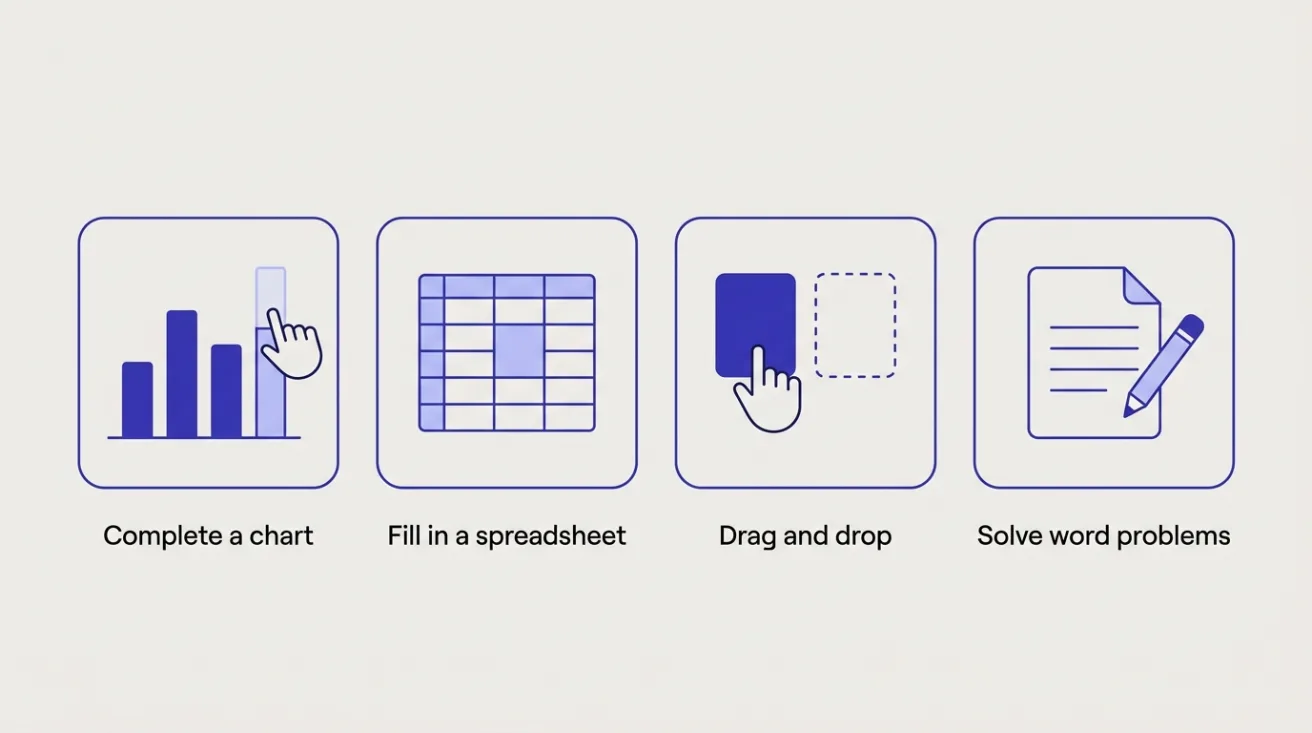
SHL describes Verify Interactive Numerical Reasoning as measuring your ability to make correct decisions or inferences from numerical or statistical data, in a realistic workplace setting. Instead of only picking from options, you may be asked to:
- Create or complete a chart or graph from a table of figures.
- Fill in a spreadsheet with the right values.
- Drag and drop answers into place.
- Solve word problems and straightforward calculations.
SHL says its cognitive assessments are automated, remotely proctored, and ask fewer questions thanks to a partial-scoring method.
Cohesyve
Get used to being assessed before you sit an SHL numerical reasoning test
Cohesyve's practice runs are AI job simulations of the role you want, not copies of an SHL numerical reasoning test. They show where you lost marks. 3 free practice assessments, no card.
Example questions
These are our own illustrations of the style. They are not SHL items.
A table of figures
A company's quarterly revenue (in $000s): Q1 240, Q2 300, Q3 270, Q4 330.
- By what percentage did revenue rise from Q1 to Q2? 25%. (300 − 240) ÷ 240 = 0.25.
- What share of the year's revenue came in Q4? About 29%. The year totals 1,140; 330 ÷ 1,140 ≈ 0.289.
- If Q4 costs were $264,000, what was the Q4 margin? 20%. (330 − 264) ÷ 330 = 0.2.
An interactive-style task
Drag the bars so the chart shows each region's share of 600 units sold: North 150, South 270, West 180. North 25%, South 45%, West 30%.
A calculation task
An invoice lists 12 items at $8.50 and adds 20% tax. What is the total? $122.40. 12 × 8.50 = 102; 102 × 1.2 = 122.40.
For comparison, here are SHL's own published samples. The Verify G+ factsheet asks for a car's original price after a 15% price cut (now £9,500, so £11,176.47 before). The Verify Interactive Numerical Reasoning factsheet asks you to adjust a chart to show how a company's 576 employees split across four departments, from clues such as Sales having twice as many employees as Development. Read each figure carefully, and keep track of units and time periods as well as the sums.
How it's scored
The interactive tests are adaptive: what you are shown next depends on how you did so far. That gives a more precise score in fewer questions, which is why the counts are low. It also means the test can feel hard throughout. Finding the questions difficult is not a sign you are failing.
Your result goes to the employer. SHL's candidate support says only the results recipient chosen by the company can see it, and SHL can confirm that you completed a test but cannot give you results. SHL's advice to candidates is that many organisations offer feedback, and to ask if they don't.
Can you use a calculator?
SHL's candidate pages checked for this guide don't say. Read the instructions on your test's start screen, and if it is unclear, ask the recruiter before you begin. Practise both ways, so neither rule throws you.
How to prepare
Start with SHL Direct. SHL's free practice site has a numerical reasoning test in two versions: the mobile-enabled interactive format with drag-and-drop answers, which gives you a report, and the standard multiple-choice format. Take the one that matches your invitation. SHL notes the practice difficulty may not exactly match the real test.
Practise reading data as well as doing sums. For each table you practise with, ask: which row, which column, which period, which unit? A right calculation on the wrong figure still gives a wrong answer.
Make the core calculations automatic. Percentage change, percentage of a total, ratios, averages, and reversing a percentage (if $80 is after a 20% cut, the original is $100). Estimate first, so you can spot an answer that's off by a factor of ten.
Use a laptop if you can. The interactive tests run on phones, but charts and spreadsheets are easier to read on a bigger screen.
Run SHL's browser check first. It confirms your device settings work before the timer starts.
Ask for adjustments early. If you have a disability or condition that affects timed tests, tell the recruiter before you start. SHL's accessibility pages describe the support available.
Where Cohesyve fits
A numerical test is usually an early screen. After it, interviews and tasks from the job itself carry more weight. Cohesyve, which publishes this guide, runs practice job simulations for that stage in roles where numbers matter, such as financial analyst and business analyst, with a report on where you lost marks. It won't prepare you for SHL's tests; SHL Direct will. If your invitation says "Verify Interactive", our Verify Interactive guide covers the inductive and deductive tests in the same family.
Sources
Checked 21 October 2026.
- SHL factsheet: Verify Interactive Numerical Reasoning (PDF)
- SHL factsheet: Verify Interactive Numerical Calculation (PDF)
- SHL catalogue: Verify Numerical Ability
- SHL factsheet: Verify G+ (PDF)
- SHL: cognitive assessments
- SHL Direct: practice tests
- SHL Direct: example numerical reasoning questions
- SHL Direct: assessment advice
- SHL candidate support